Blooper 41: Same title on different windows
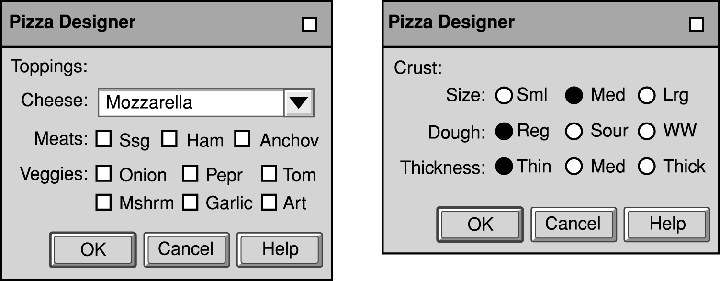
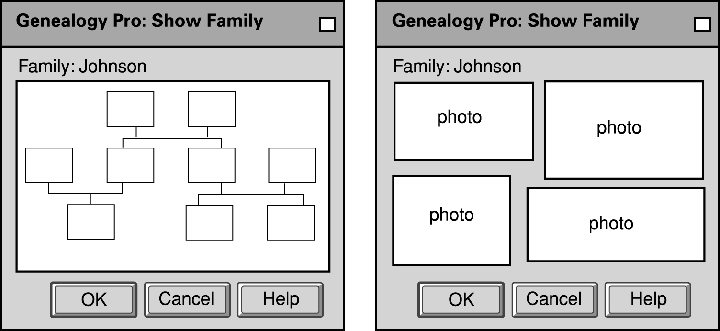 What's wrong with this?
Different windows have the exact same titles, which can mislead users about what function of the application they are using.
Variations:
- Window titlebars don't identify specific windows
- Programmer copied window code but forgot to change the title
- Programmer didn't know title was in use elsewhere
- Programmer thought the title fit both
Design Rule:
Each window or web page corresponding to a unique function of the application should have a unique title.
In blooper 33 (inconsistent terminology), a method using message files was described. This can also be applied to this blooper by
listing window titles in a file instead of scattering them throughout the code. However, this only reduces the likelihood of duplicate
window names.
Special cases:
- Multiple windows represent the same function applied to different data - an example is a text editor viewing different files.
In this situation, it is important to include the data name in the title bar.
- Multiple windows represent the same function or data with different user options - a factory monitor application might allow user
to bring up several instances of the "same" window to let users apply different option settings to different instances. In this case, the
convention is for the window title to end in an integer, separated from the title by a colon. For example "Factory Monitor", "Factory
Monitor: 2", "Factory Monitor: 3", etc.
April 21, 2005
Images from GUI Bloopers, by Jeff Johnson. Used without permission.